Help drivers quickly locate their parked vehicle with an intuitive self-service kiosk designed for indoor parking facilities.
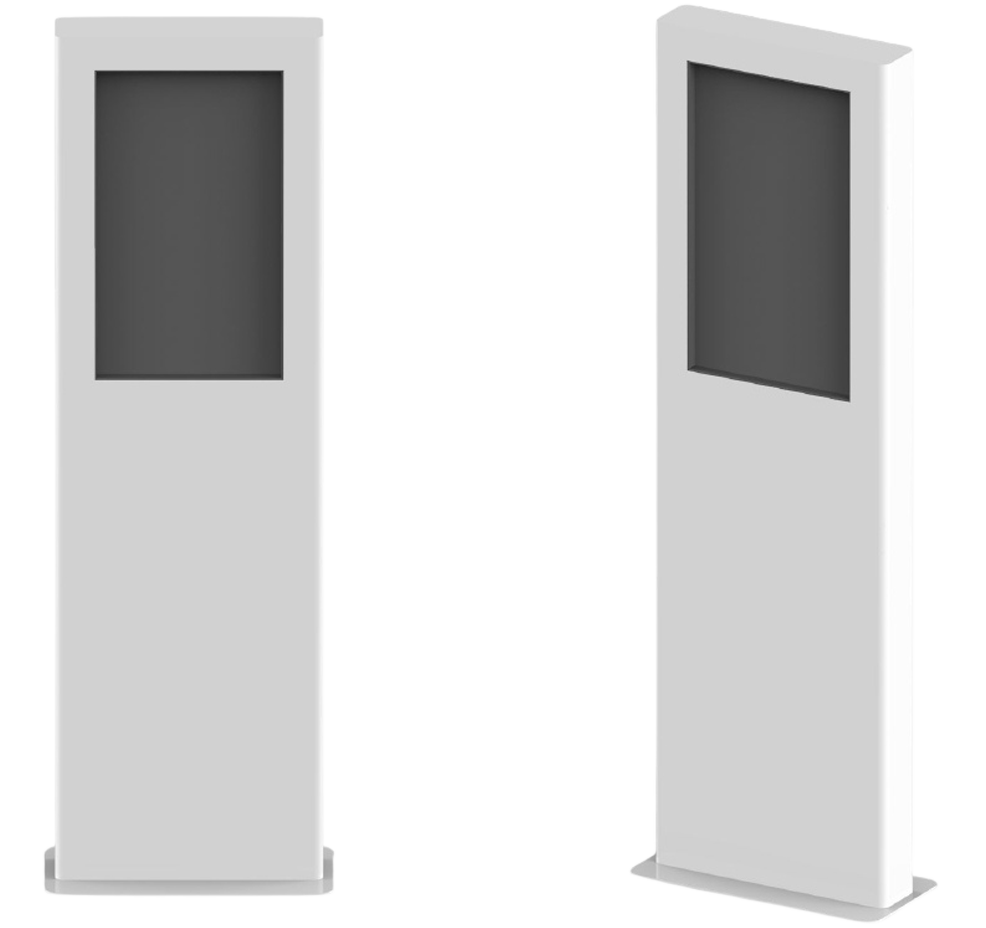
The Quercus Information Kiosk provides convenient self-service access to the Find Your Vehicle application. Drivers can search for their vehicle and view its parking location directly on the 32-inch touchscreen, creating a simpler and more convenient parking experience.
32″ Full HD Touchscreen
Find Your Vehicle Application
License Plate Search
Parking Map & Space Location
BirdWatch® Integration
Robust Indoor Design
Find Your Vehicle
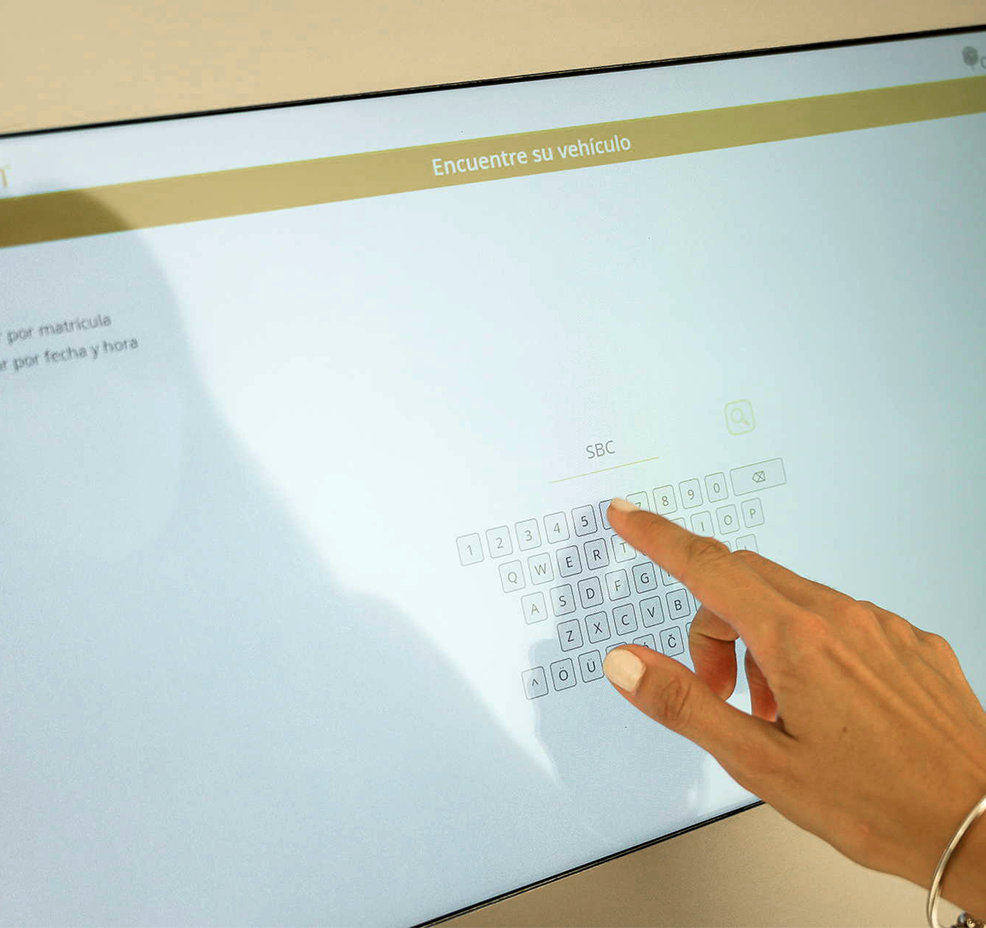
Large parking facilities can make it difficult for drivers to remember exactly where they left their vehicle. The Quercus Information Kiosk provides a simple, intuitive way to find it. Drivers can search using their license plate number or the date and time they parked. The application then displays the available vehicle information together with its parking location.
Enter the vehicle's license plate number to locate it within the parking facility.
Search using the approximate date and time the vehicle was parked.
View an image of the identified vehicle to help confirm the correct result.
See the parking space and area where the vehicle is located.
View the vehicle's location on a map of the parking facility.
The Information Kiosk combines a large interactive display, integrated processing hardware and a robust enclosure in a freestanding unit designed for indoor parking environments.

Large vertical 1920 × 1080 display provides a clear interface for vehicle searches and parking information.

IR touchscreen technology provides intuitive interaction with the Find Your Vehicle application.

Built-in processing hardware provides an all-in-one kiosk configuration without requiring a separate external PC.

The display is protected by 3+3 mm vandal-resistant glass, while the enclosure provides an IK10 impact rating.

Gigabit Ethernet connectivity enables communication with the parking system.

Freestanding kiosk designed for indoor parking environments, with an IP50 protection rating.

QWatch provides operators and integrators with direct access to SmartLPR camera health and performance data through a REST API, enabling custom monitoring tools, dashboards and alerts.
The Information Kiosk works with BirdWatch® to give drivers access to vehicle location information collected by SC Indoor through the Quercus parking guidance system, enabling the Find Your Vehicle application to identify a vehicle and show its location within the parking facility.
BirdWatch centralizes vehicle and parking information and provides the vehicle location data used by the Find Your Vehicle application.
Learn more →License plate recognition at the parking space enables vehicles to be associated with their parking location.
Learn more →SmartLPR identifies vehicles at the parking entrance, so each vehicle can be matched to its parking location and found again through the Find Your Vehicle application.
Learn more →What is the Quercus Information Kiosk used for?
The kiosk provides self-service access to the Find Your Vehicle application, helping drivers locate where their vehicle is parked.
How do drivers search for their vehicle?
Drivers can search using the vehicle's license plate number or the approximate date and time they parked.
What information does the kiosk provide?
The application can display vehicle recognition information, an image of the parked vehicle, its parking space and area, and its location on the parking facility map.
Can I pay for parking using the Information Kiosk?
No. The Quercus Information Kiosk is designed for vehicle location and parking information, not for parking payment. Its primary function is to help drivers find their parked vehicle using the Find Your Vehicle application.
What size is the touchscreen?
The kiosk features a 32-inch vertical Full HD touchscreen.
Is the kiosk designed for outdoor installation?
No. The Information Kiosk is designed for indoor environments and has an IP50 protection rating.
How does the kiosk know where the vehicle is parked?
SC Indoor uses license plate recognition to associate vehicles with their parking locations. BirdWatch® centralizes this information and makes it available through the Find Your Vehicle application on the kiosk.
Give parking customers convenient self-service access to vehicle location information with the Quercus Information Kiosk.